
What the Nikahi Studio is
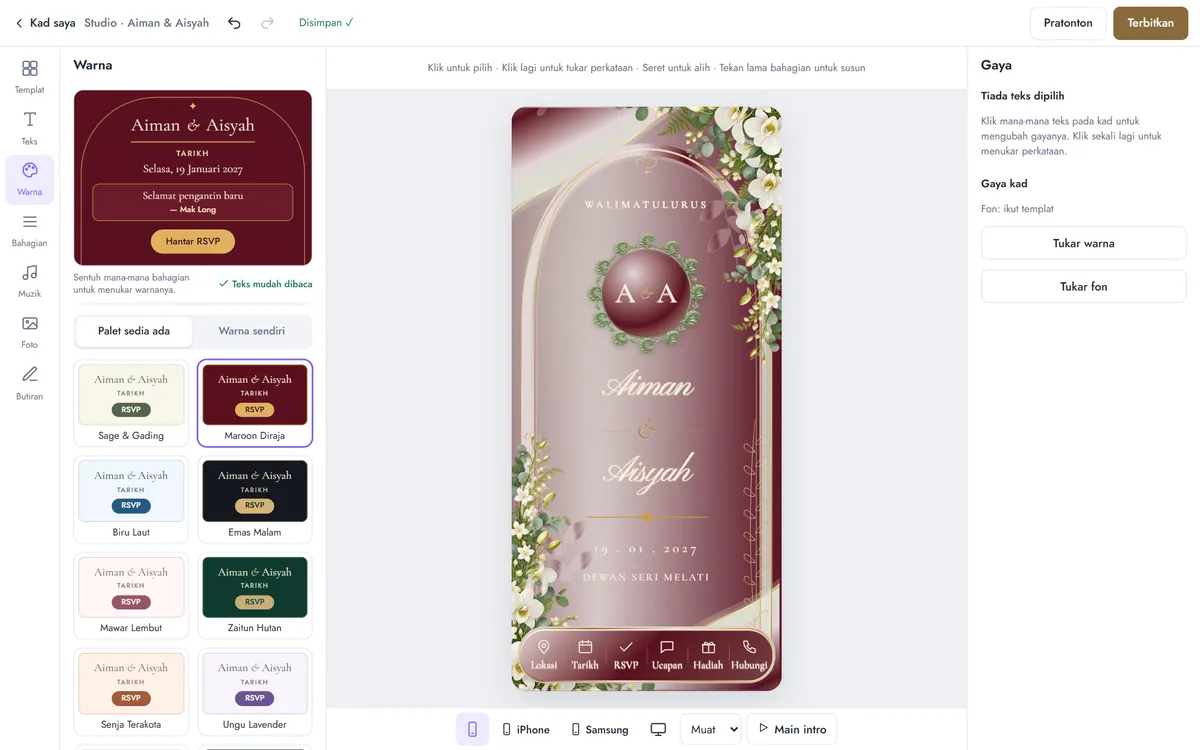
Many digital wedding cards work like a form: you type your details and the service fills them into a fixed design. The Studio works more like a design tool. It opens in your phone or computer browser, with nothing to install, and every change appears on the card straight away.
For example, Aisyah wants a shorter greeting and larger names in a maroon theme. She clicks the greeting and retypes it, clicks the names and makes them bigger, then taps the Maroon Diraja theme. It takes a few minutes, and no designer is involved.
What you can customise
- Template: 129 designs. You can switch at any time and keep your words, photos and music.
- Colour themes: 12 ready-made themes, or set 9 colours yourself by colour code.
- Button colour: the button and the words on it are set separately, with a warning if they become hard to read.
- Fonts: 24 script, serif, modern and Arabic fonts, for the whole card or one piece of text.
- Your own words: rewrite the greeting, closing and section headings.
- Your own story: add up to 6 text blocks of 400 characters each, and drag them anywhere on the card.
- Frames and logos: more than 150 for the top and bottom of the card.
- Layout: reorder the 6 main sections, or hide what you do not need.
- Photos and music: a cover photo, a gallery of up to 12 images, your own audio file or a YouTube link.
A link with your names in it
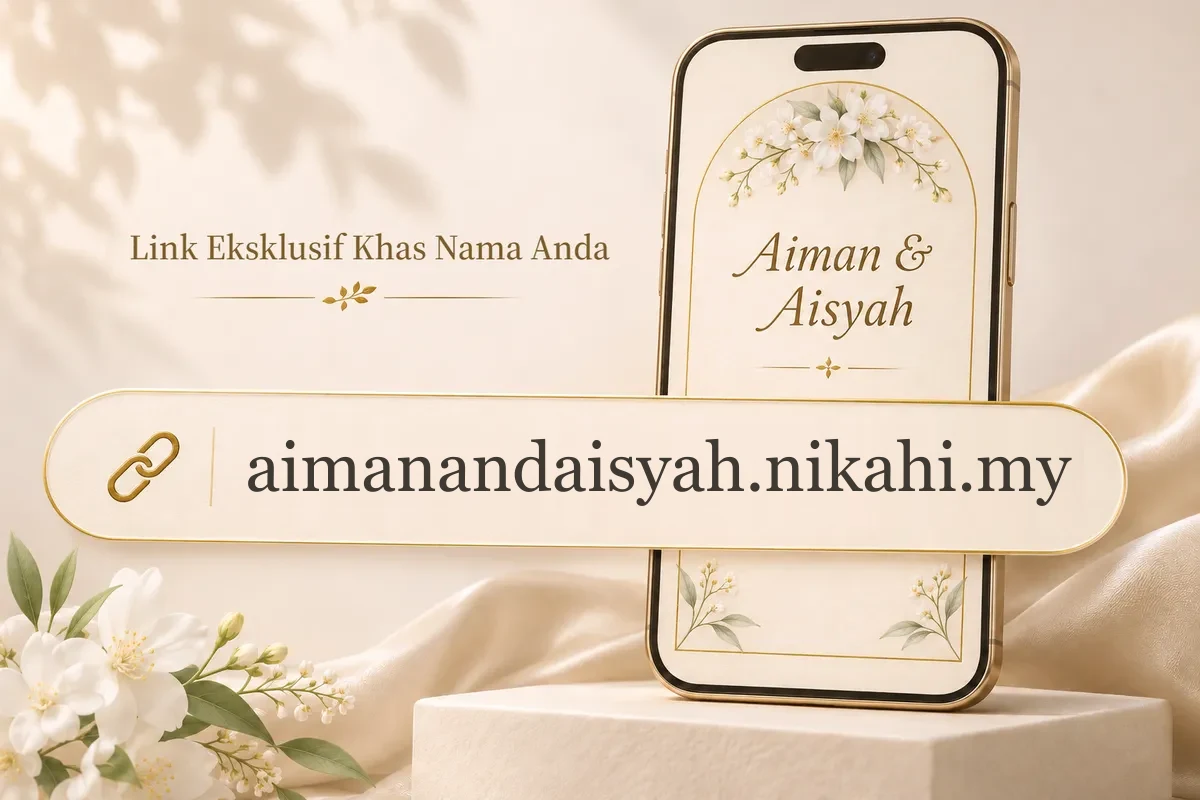
Choose the address yourself, such as aimanandaisyah.nikahi.my, so guests know whose card it is before they tap. Each link belongs to one card. You can change it at any time, but the old link then stops working, so choose it before you start sharing.
Check it before guests see it
- Preview the card at iPhone and Samsung screen sizes, side by side.
- Your work saves automatically, with undo and redo.
- Once a card is published, new edits only reach guests when you press the update button.
What guests get
Guests tap one link on WhatsApp and the card opens in their browser. It holds RSVP, Google Maps and Waze buttons, a countdown, a save-to-calendar button, a wishes book and a gift section. You see the headcount and can download the guest list as a CSV file.
What the Studio does not do yet
- You cannot upload your own artwork as the card design.
- Flowers and artwork inside a design keep their colours.
- Cards are made for phones, not for printing or PDF.
- Cards are written for Bahasa Melayu by default. You can replace the main text with English, but some buttons and labels stay in Bahasa Melayu.
See also our digital wedding card overview and online wedding invitation page.